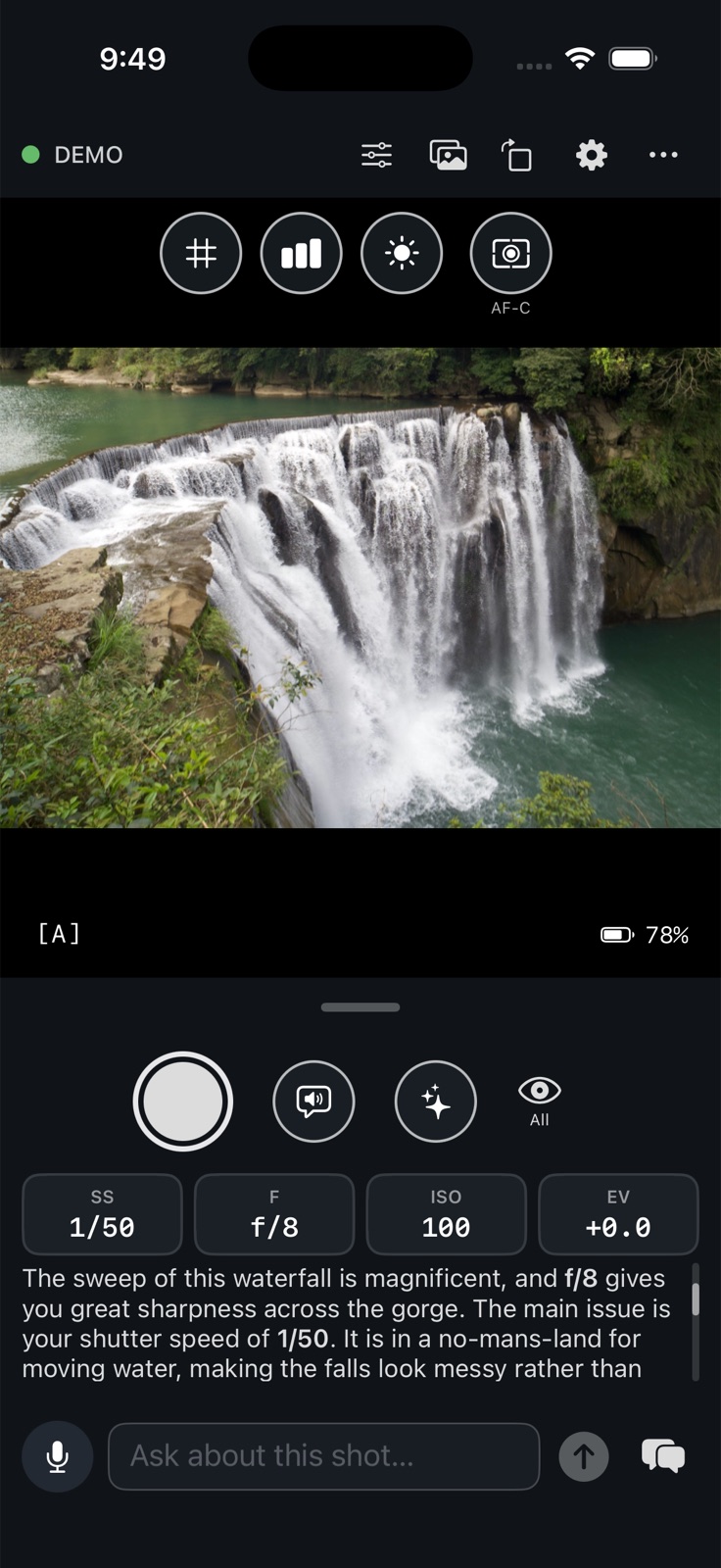
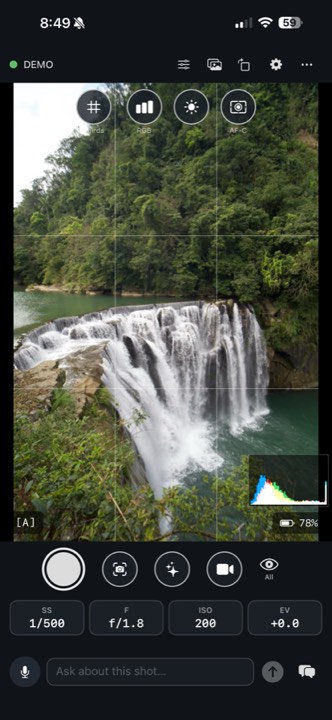
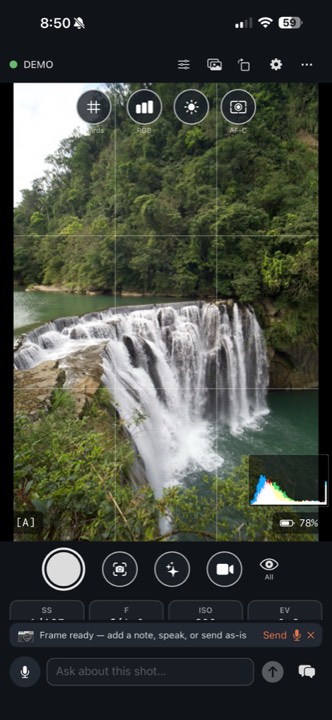
Live view, tap to focus, the coach, hands-free with a headset,
USB-C and Wi-Fi: the same on iPhone and Android. The Apple Watch remote is iPhone only.
01 / Measured on real hardware
Fast
From a press to a picture. From a question to a voice.
Here is what we measured, and how.
Apple Watch · iPhone
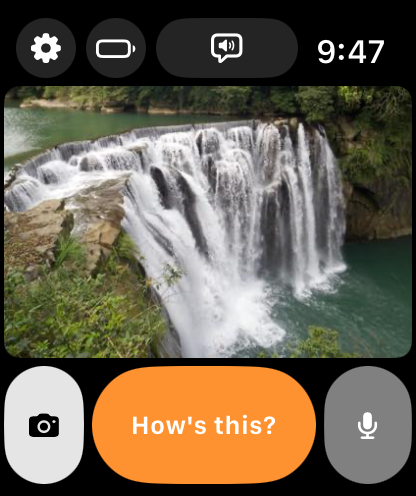
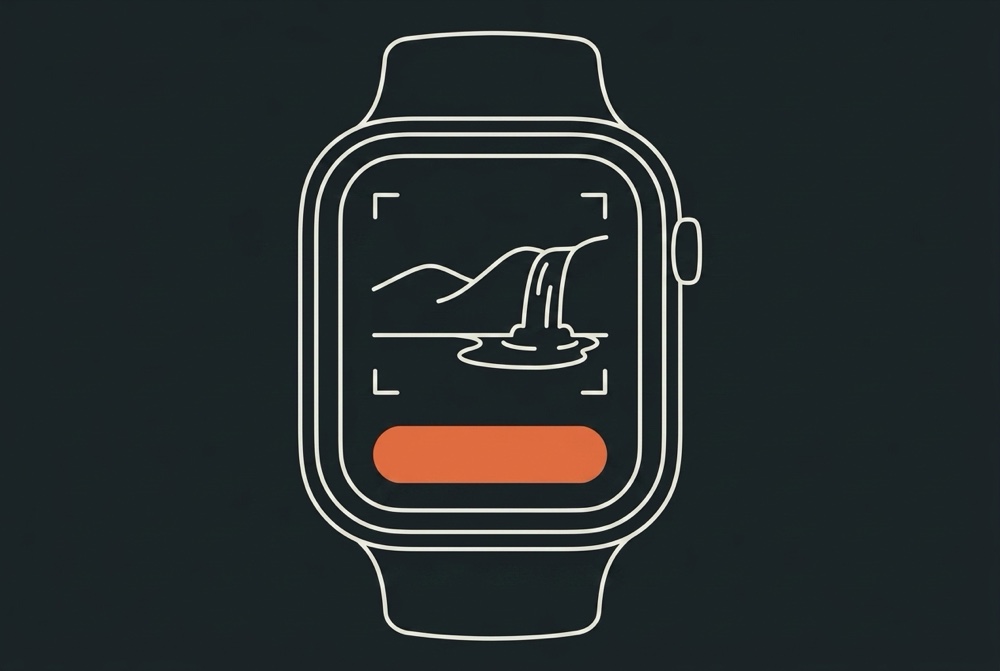
Press the shutter on your wrist, see the shot on your wrist.
0.9–1.5 s
From the wrist press to the picture on the watch.
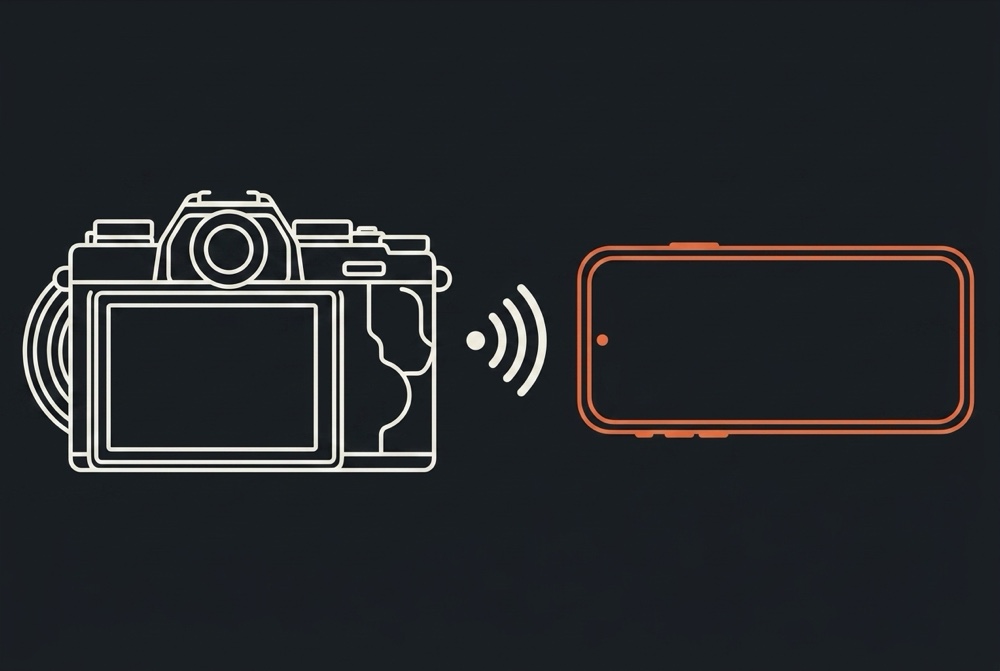
Sony A7 V over Wi-Fi Direct, iPhone locked in a pocket,
measured over three shots
(1,526 / 1,444 / 941 ms).
The camera's autofocus is the largest fixed cost.
A shot, seconds after the wrist press: shutter, "How's this?", mic.
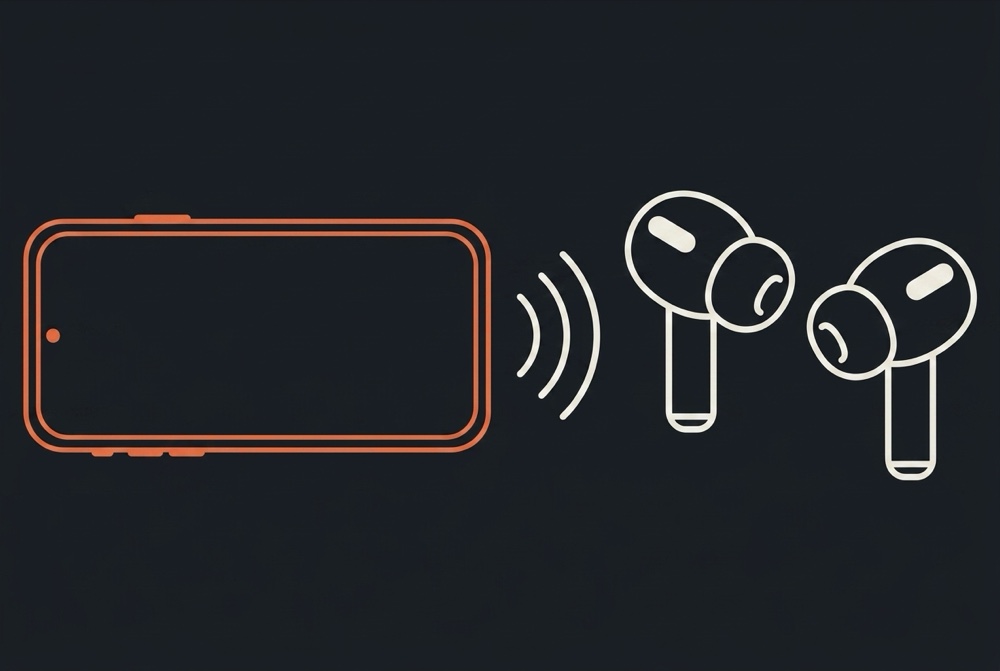
AirPods · Any headset
Double-press the earbud, hear the coach.
2.5 s
From the press to the first spoken word.
Any earbuds with a next-track button do the same, on iPhone and Android.
Best measured run, Aperi coach over Wi-Fi Direct with
the phone on 5G, ;
typical runs 3.3–4.2 s. A7 V, phone locked, RAW-only card.
That includes the shot, the upload and the model.
Nothing is pre-rendered.
From the app
Tap the sparkle on the phone, hear the answer.
4.2 s
Press to first spoken word over USB-C.
Measured ,
251-character answer.
Numbers are from the engineering log on real hardware,
phone locked where it says so. Your network and lens will move them.
02 / In your hands
Screens
Frame it. Ask about it. Keep shooting.
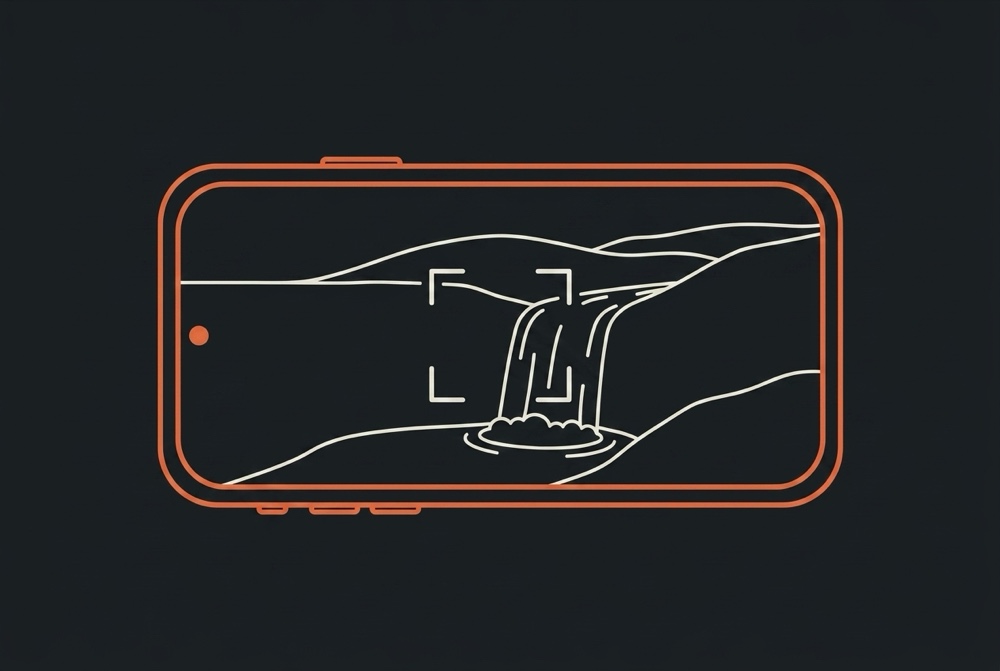
01Frame the shot on your phone.
02Add a question before you send.
03Read the answer in the conversation.
04Keep the reply beside your controls.
05Turn the phone and work from the rail beside the picture.
Real captures of the app. The three phone walkthrough screens
were taken on an iPhone; the others use the app's demo camera fed with our own
photographs, and the coaching shown is what the app actually said about them.
You can try the demo camera before connecting your own.
03 / Your camera, your setup
Ways to use it
The phone is the brain every time. What you hold, wear or
plug in decides how you ask and where the answer comes out.
01Phone in hand: frame, focus and
shoot from the screen, then one button sends the last shot to the coach
and reads the answer back.02Phone in a pocket, earbuds in:
double-press to coach the last shot or single-press to ask in your own
words, with the answer in your ears and the screen off.03On the wrist (iPhone): every shot appears
as it is taken, with a shutter, ask button and mic, and the answer spoken
by the watch or your AirPods if they are in.04No cable at all: use the camera's
own Wi-Fi in the field or your home network, and the phone can stay
locked the whole time.
04 / A second pair of eyes
The coach
Aperi never touches your photograph. It
doesn't generate images, retouch them, or edit anything. It reads the frame
you're composing and the settings you're using, and tells you what it sees,
the way an instructor looking over your shoulder would. The shot stays
entirely yours.
Why not just ask ChatGPT?
You can, after the fact: export the photo, upload it, type in what you
shot it at. Aperi is on the camera while you shoot. It reads shutter,
aperture, ISO and focus mode straight from the body, so it never guesses
the exposure from pixels. It answers in seconds about the frame in front
of you, not the one from last week. And with earbuds in or the watch on,
you never take your eye off the scene. A chatbot is a fair critic of a
finished picture. This is a coach for the next one.
It knows your settings
Not guessing from pixels. It reads shutter, aperture, ISO and focus
mode straight from the camera.
It knows your bag
Tell it which lenses you brought and it can suggest switching to one
you actually have with you.
It speaks
Ask out loud, hear the answer, keep your eye where it belongs.
Two real sessions
Both of these happened. The coaching quoted is what the app
actually replied to the first frame in each pair, written before the
second photograph existed and checkable against the EXIF.
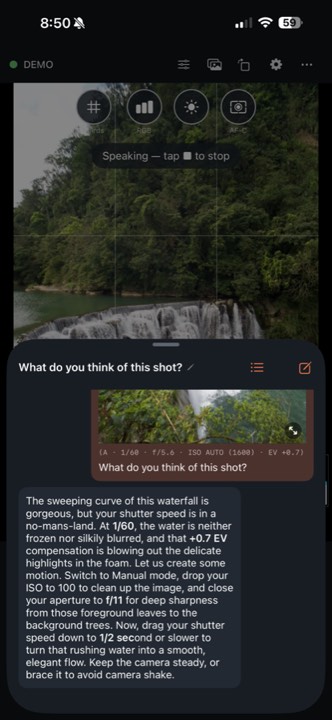
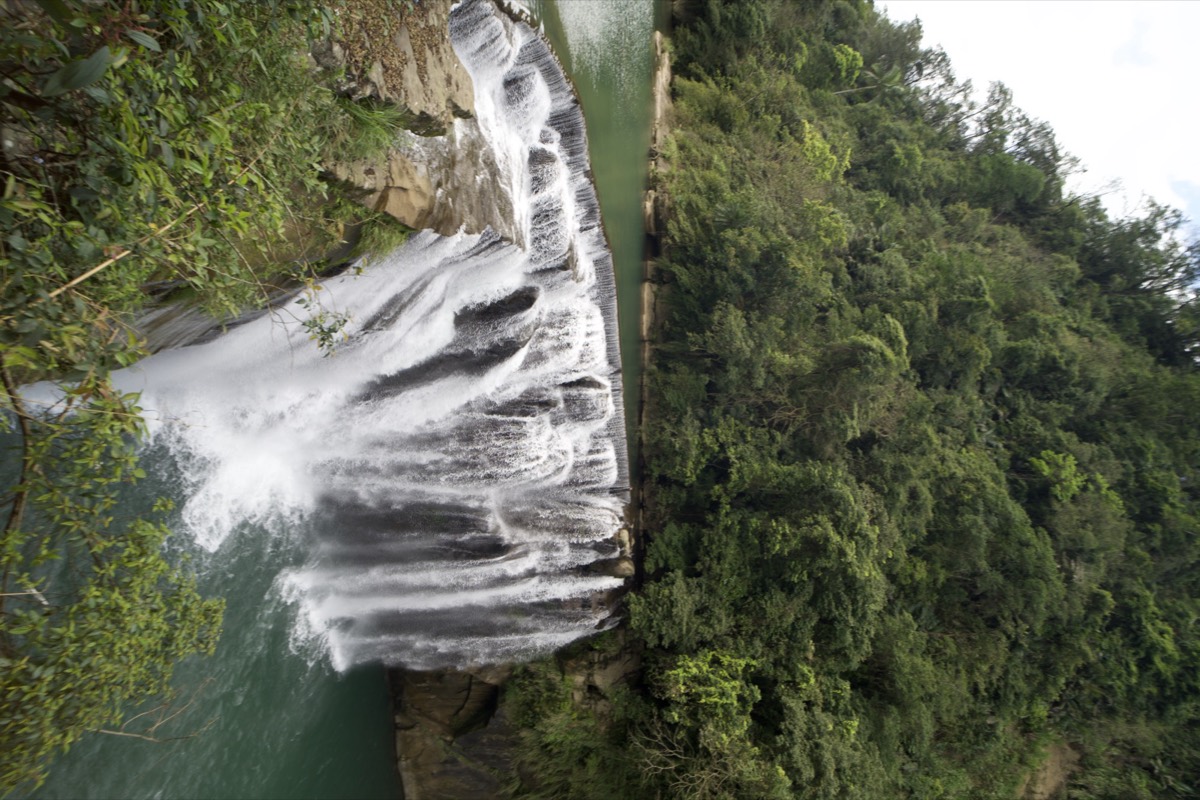
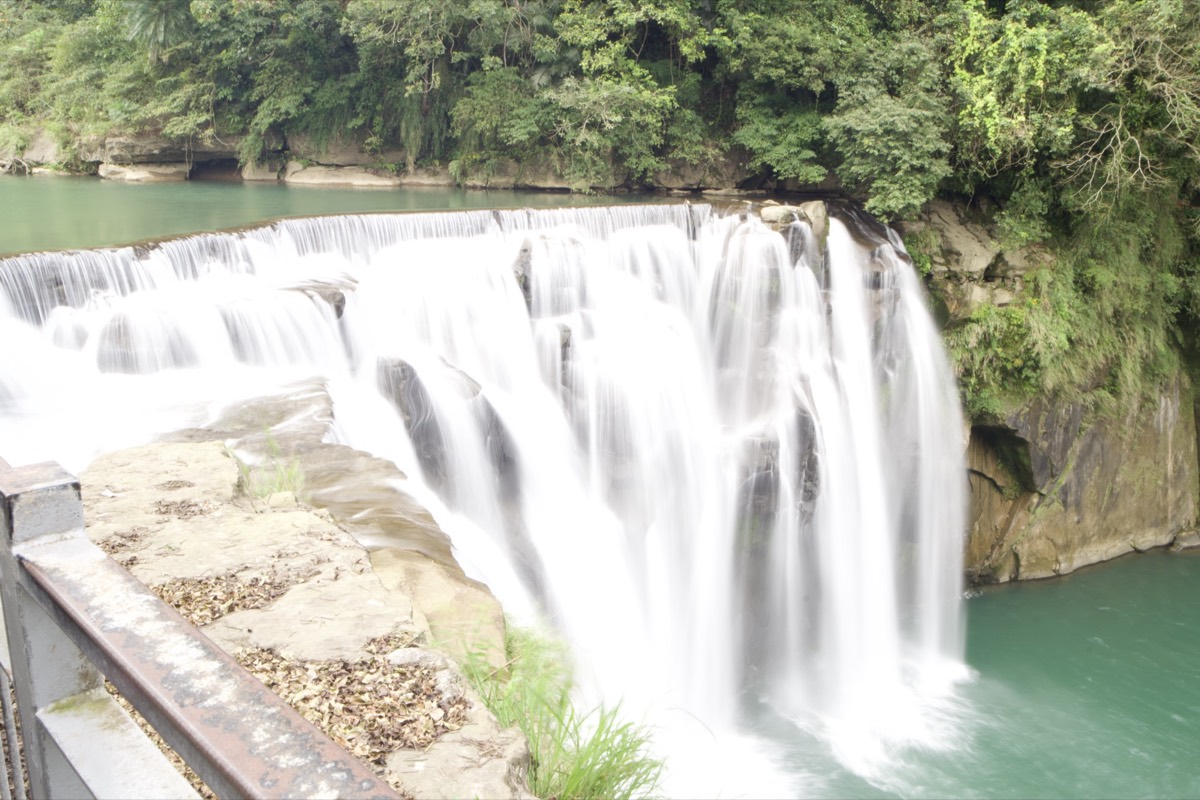
Shifen Waterfall: moving water
Before1/50s · f/8 · ISO 100 · 18mmAfter1/2s · f/22 · ISO 100 · 18mm
The coach
The main issue is your shutter speed of 1/50. It is in
a no-mans-land for moving water, making the falls look messy rather
than intentional.
To get that classic, silky water, switch to Manual mode, keep ISO 100,
and close down to f/16 to force a longer shutter speed,
aiming for 1/2 or slower. You will need a tripod.
You either freeze water completely at 1/1000 or paint
with it at 1 second. Let us slow it down.
The advice named 1/2 of a second; the next frame was shot
at exactly that. Both on the same 18mm prime and ISO 100, so three stops of
aperture bought the slower shutter. The framing changed too: APS-C crop mode
was switched on and the tripod moved a step closer, so the water is not the
only difference you are looking at.
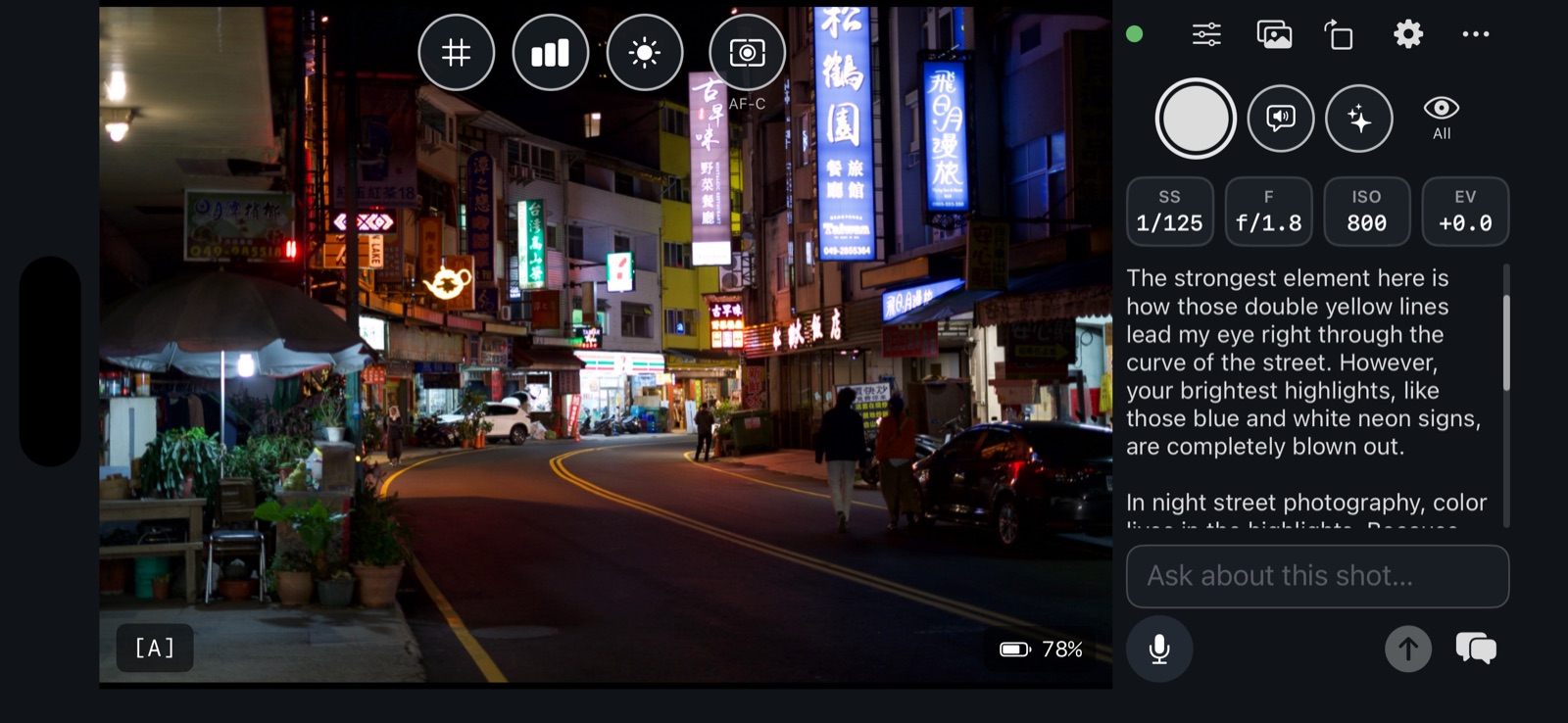
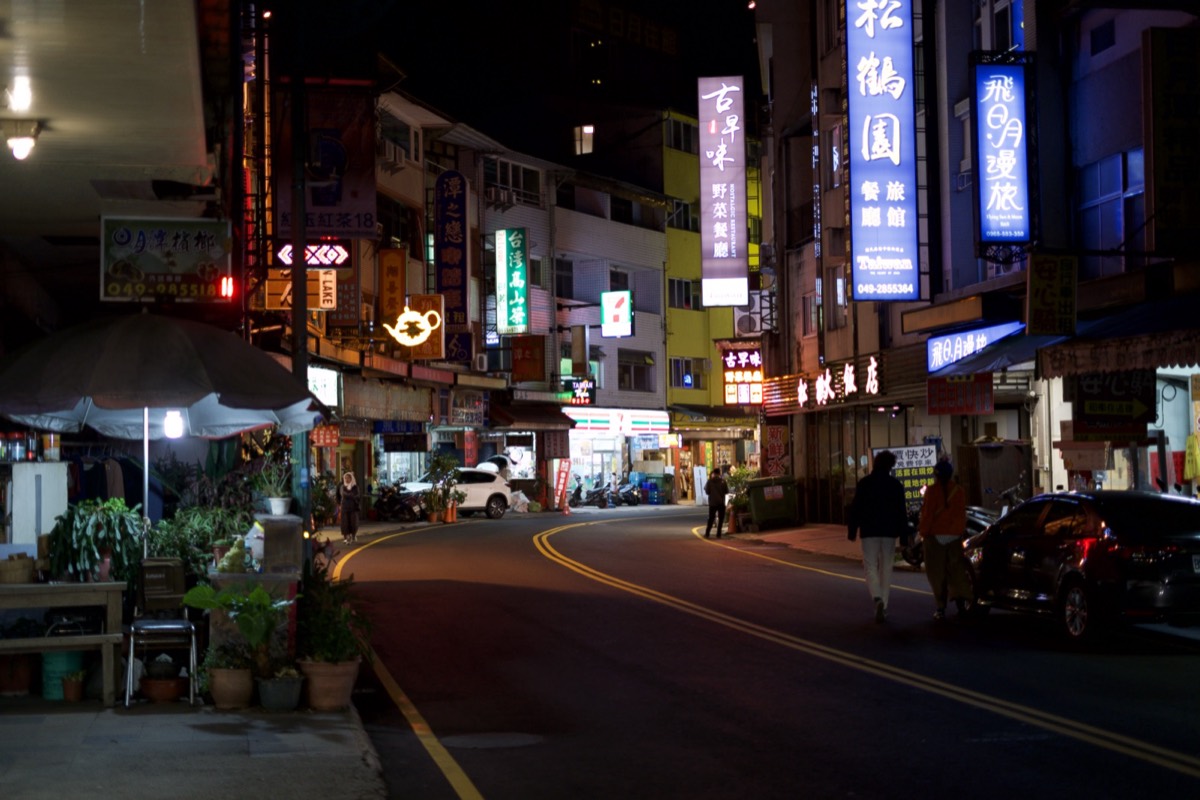
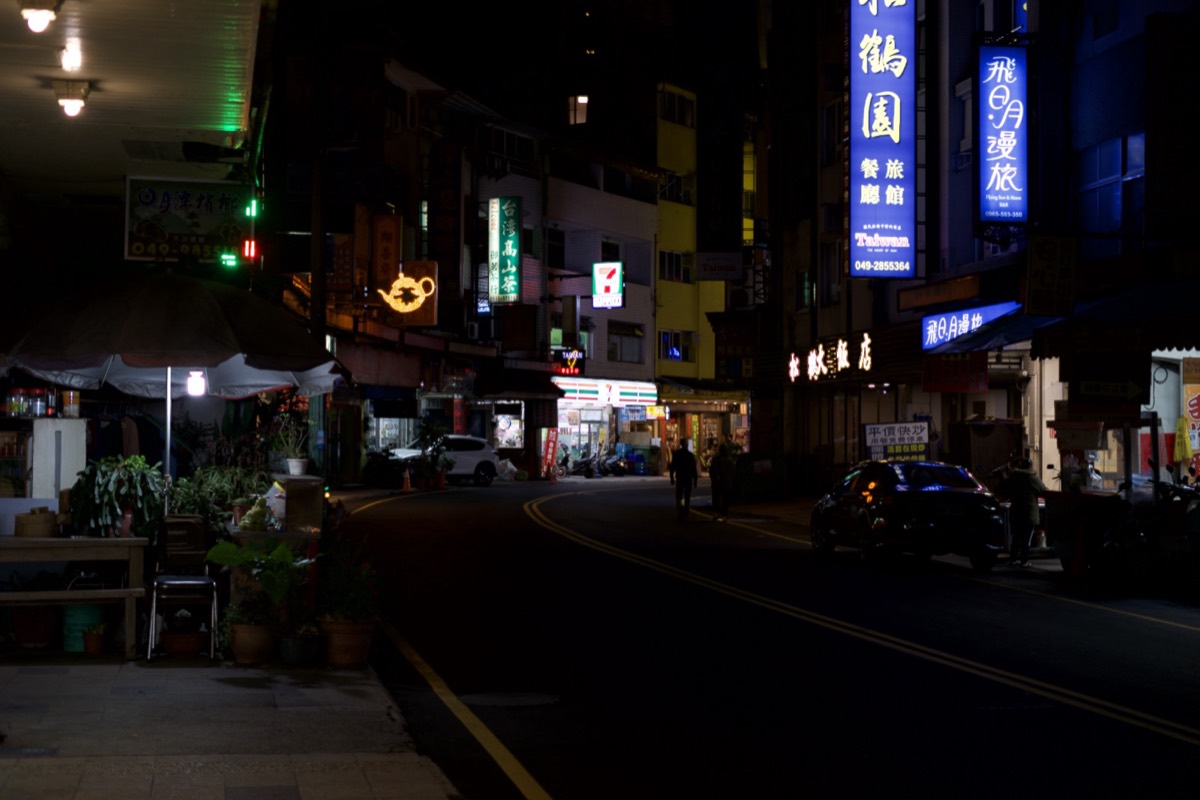
Night street, Taiwan: where the colour lives
BeforeA · 1/125s · f/1.8 · ISO 800AfterM · 1/60s · f/2.8 · ISO 400
The coach
Your brightest highlights, like those blue and white neon signs, are
completely blown out.
In night street photography, colour lives in the highlights. Because
you are in A mode at exposure compensation 0, the camera is trying to
make the dark asphalt neutral, which overexposes the signs.
Dial your exposure compensation down to -1.3 EV. This
will protect those rich neon colours and clean up your shadows.
Let the darkness frame your light.
The advice asked for about a stop and a third less
exposure; the frames measure 0.99 EV darker. The camera also
moved to Manual, which stopped auto-ISO wandering between 800 and 3200 from
one frame to the next, and stopping down to f/2.8 put more of the street in
focus. It is meant to be darker. That is where the neon gets its colour
back.
From the beta
What testers say
Real names, real bodies, one outcome each.
Quote
Name · camera body
Quote
Name · camera body
Quote
Name · camera body
05 / Compatibility
Cameras
The honest list, because nothing is more annoying than
installing an app that turns out not to see your camera.
Sony A7 V (ILCE-7M5)
Working
Tested on real hardware before every release. USB-C and Wi-Fi.
Sony A7 IV · A7R V · A7C II · A1 II · A9 III · A6700 · ZV-E1
Should work, untested
Same Sony protocol generation as the A7 V. We have not had one in hand;
beta testers with these bodies are how this row moves up.
Canon EOS R series
Coming soon
Canon uses its own PTP extensions, so this is real work in progress,
not a switch to flip. No date yet.
Nikon Z series
Coming soon
On the list after Canon. No date yet.
06 / What it costs
Pricing
The beta is free. This is the plan for after it, so nobody
joins without knowing what comes next.
Camera control
Free forever
Live view, tap to focus, remote shutter
Shutter, aperture, ISO and EV from the phone
Histogram, grids, highlight clipping
Card browser
No account, no key, no subscription
A small banner sits on the settings and chat sheets,
never over the picture. $4.99 once removes it.
Most popular
Aperi coach, yearly
$39.99 / year
Save 33% against monthly
300 coach replies a month on our key
No API key, no account
Spoken replies, hands-free, the watch
Removes the banner
During the beta: 10 replies every 24 hours, free.
Aperi coach, monthly
$4.99 / month
The same 300 replies a month
Cancel any time
Works out to $59.88 a year.
Bring your own key
Free and unlimited
Your Google, Anthropic or OpenAI key
You pay the provider at its rates; we never see the key
These are the prices we intend to charge when the beta
ends. They are not live in either store yet, and nobody is charged today.
Prices in US dollars; store taxes may apply.
07 / Questions
Questions people ask
The short answers. The long ones are in the sections above.
Does it work with my Sony camera?
The A7 V is tested on real hardware before every release, over USB-C and Wi-Fi. The A7 IV, A7R V, A7C II, A1 II, A9 III, A6700 and ZV-E1 share the same protocol generation and should work, but we have not had one in hand. If you own one of those, you are exactly the tester we want.
How fast is the coaching?
Measured, not estimated: 0.9–1.5 seconds from a wrist press to the picture on the watch; 2.5 seconds on the best run from an earbud double-press to the first spoken word, 3.3–4.2 seconds typically; 4.2 seconds from a tap in the app over USB-C. Your network and lens move those numbers.
Do I need an API key?
No. The coach works the moment you open the app on Aperi's own key. If you would rather use your own key from Google, Anthropic or OpenAI, you can, and it stays on your phone.
Is it really free?
Every camera feature is free forever: live view, tap to focus, the remote shutter, exposure, the histogram and grids, the card browser. During the beta the coach is free too: 10 replies every 24 hours on our key, or unlimited on your own key.
What happens after the beta?
Camera control stays free. The coach becomes a subscription, $4.99 a month or $39.99 a year for 300 replies a month, and a $4.99 one-time purchase removes the banner. Your own key stays free and unlimited. Testers move to the store version when it ships; nothing is lost.
Does it work without internet?
The camera side does: USB-C and the camera's own Wi-Fi Direct need no internet at all. The coach does need a connection, because the frame goes to the AI provider either way.
What about Canon and Nikon?
Coming, no date yet. Canon uses its own PTP extensions, so it is real work rather than a switch to flip; Nikon follows Canon.
Can I try it without a camera?
Yes. The app opens on a built-in demo camera, marked with a green DEMO badge, and everything except the physical link works exactly as it does with real hardware, coach included.
08 / Come shoot with us
Beta
The coach works the moment you open the app — no API
key, no account. 10 free coach replies every 24 hours, on us. If you would
rather use your own key from Google, Anthropic or OpenAI, you can:
it stays on your phone, your photos go straight to the provider you
chose, and it is free and unlimited. Everything else — live view,
focus, exposure, the card browser — never needed either.
What each provider does with your photographs →
Every camera feature — live view, focus, exposure,
the card browser — is free forever, no account, no key. Only the coach
has a paid tier, and the prices are on this page.
 APERI
APERI